


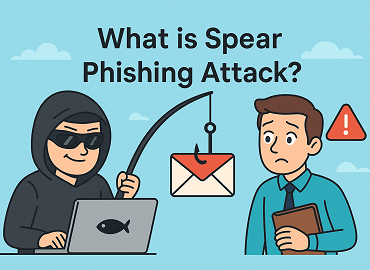
What Is Spear Phishing? Targeted Attacks and How to Stop Them
by Kevin Stratver
Spear phishing is a highly targeted phishing attack directed at a specific individual using personal information gathered through research to make the email convincingly relevant. Unlike mass phishing sent to millions of identical recipients, every spear phishing email is individually crafted for its target. Understanding spear phishing vs phishing is essential: spear phishing represents a small proportion of total attack volume but accounts for 66% of all data breaches, according to Proofpoint.
Generic phishing training fails against spear phishing because the two attacks feel completely different. A mass phishing email about a PayPal account suspension is identifiable with basic training. A spear phishing email that uses your name, references a real project you worked on last week, mentions a colleague by name, and appears to arrive from your CEO’s address is engineered to bypass every instinct that training created. This is exactly why spear phishing drives the majority of costly organizational breaches.
What Is Spear Phishing?
Spear phishing takes its name from the precision of spear fishing compared to casting a wide net. The attacker does not send emails blindly to millions and hope someone clicks. Instead, they select a specific target, research that individual thoroughly, and craft an attack that speaks directly to their role, relationships, and current situation.
MITRE ATT&CK classifies spear phishing under technique T1566, recognizing it as a primary initial access technique used by organized criminal groups and state-sponsored threat actors alike.
The IBM Cost of a Data Breach Report shows spear phishing initiated breaches cost significantly more than mass phishing incidents. The reason is target profile: spear phishing attacks individuals with higher authority and broader access, and the attacks remain undetected longer because personalized content avoids the patterns that security tools are trained to flag. For the full context of how phishing fits the email threat picture, see The Complete Guide to Email Security.
What Is the Difference Between Spear Phishing and Regular Phishing?
The fundamental difference in spear phishing vs phishing at scale is research and personalization. Mass phishing sends identical emails to millions and relies on a small percentage of recipients falling for a generic lure. Spear phishing invests significant time in a single target to dramatically increase the probability of a successful outcome.
Mass phishing click-through rates average 2-5%. Spear phishing rates are significantly higher because personalized content disarms the suspicion that generic emails trigger. Mass phishing is caught more easily by email security gateways because generic content matches known attack signatures. Spear phishing passes the same filters because it looks like legitimate communication from a known source.
What Is Executive Phishing and How Does It Work?
Executive phishing, also called whaling, is spear phishing targeting C-suite executives, board members, and senior leadership. Executives carry significant financial authority, access to the most sensitive organizational data, and high credibility when impersonated.
The security paradox that competitor content rarely addresses: executives are simultaneously the highest-value spear phishing targets in any organization and the individuals most likely to receive weaker email security controls.
IT teams face persistent pressure to reduce friction for executives. Security exceptions get granted. The result is that accounts with the most sensitive access carry lighter authentication requirements and fewer security prompts than those of lower-ranking employees with narrower access rights. The highest-value targets operate with the least protection.
Executive phishing also takes two distinct forms that require different defences. The first form targets the executive directly: a spear phishing email to the CFO’s inbox designed to steal their credentials or extract strategic information. The defence here is behavioural protection applied to the executive’s own account.
The second form impersonates the executive: using the CFO’s identity to attack a finance team member with a fraudulent payment request. The defence here is impersonation detection in the potential victim’s inbox, not the executive’s account.
Treating both as the same problem produces gaps in both directions. An executive with strong account protection may still have their identity used against a junior employee whose inbox has no impersonation detection. For how executive impersonation attacks work in detail, see What Is CEO Fraud? How to Detect and Prevent BEC Attacks.
What Is the Anatomy of a Spear Phishing Attack?
A spear phishing attack follows a defined sequence. Understanding each phase reveals where organizations can intervene before a breach occurs.
Stage 1: Target selection based on role, financial authority, and system access.
Stage 2: Reconnaissance using LinkedIn, company website, social media, job postings, conference speaker lists, dark web data, and OSINT tools including Maltego, Hunter.io, and Shodan.
Stage 3: Infrastructure setup including lookalike domain registration and preparation of weaponised documents or fake login pages.
Stage 4: Email crafting using gathered intelligence to reference real colleagues, projects, clients, and organizational events.
Stage 5: Timed delivery aligned with organizational context for maximum credibility.
Stage 6: Exploitation through credential capture on a fake login page or malware installation via a weaponised attachment.
Stage 7: Lateral movement using gained access to escalate toward higher-value targets and data.
Stage 5, timed delivery, is the phase competitor content consistently skips.
Attackers deliberately align email delivery with known organizational events to maximize credibility. An email referencing a board meeting arriving Monday morning after that meeting feels like legitimate follow-up. A conference-related email sent to an executive the week after they appeared as a speaker arrives with context the executive recognizes. An urgent supplier payment request arriving during a known merger or acquisition period lands exactly when unusual financial activity seems expected rather than suspicious.
Attackers gather timing intelligence entirely from public sources: conference websites list speakers and dates, LinkedIn updates show recent activity and travel, press releases announce deals and partnerships, and company news pages publish executive appointments and strategic announcements.
Security awareness training should teach employees to apply heightened scrutiny to emails arriving immediately after significant company announcements or organizational events, not treat all periods as equivalent risk.
How Do Attackers Research Targets for Spear Phishing?
Attackers build spear phishing intelligence from publicly available information. No technical access to the target organization is required. A detailed target profile can be assembled entirely from open sources in hours.
What your own public information reveals to an attacker before any breach occurs is the OSINT gap most organizations never think to audit.
A CFO’s LinkedIn profile exposes career history, current direct reports, recent connections, conference attendance, and any public posts about current projects or company initiatives. The company’s leadership team page names every senior executive with their title. A job posting published last week for a Senior Finance Analyst requiring experience with a specific ERP platform tells an attacker exactly which financial system to target and that the organization is currently expanding its finance function, suggesting recent process changes that create uncertainty.
A recent press release announcing a new client partnership creates a ready-made pretext: a spear phishing email appearing to come from that client’s contact requesting a follow-up document or meeting invitation. A conference speaker listing tells an attacker which event the CEO attended and when, enabling a contextually timed follow-up email that references specific session topics.
OSINT tools including Hunter.io enumerate corporate email address formats from domain name alone. Maltego maps organizational relationships and digital footprints across data sources. Shodan identifies internet-facing infrastructure and exposed services.
Organizations should audit their own public presence from an attacker’s perspective: what does your leadership page, job postings section, and most recent press releases reveal to someone planning to target your finance director? See Email Spoofing: What It Is and How to Stop It for how attackers use gathered identity information to craft convincing email spoofing attacks.
How Do You Recognise a Spear Phishing Email?
Recognising a spear phishing email requires reversing a natural assumption. Personalised content is a red flag, not evidence of legitimacy. Spear phishing uses personal details specifically to disarm the suspicion that generic phishing triggers.
Key recognition checks:
1. Check the actual sending email address behind the display name. The display name can be set to any text, including a colleague’s name or a brand logo. The underlying address reveals the real sender and often shows a lookalike domain with a single character difference or a different TLD
2. Hover over links before clicking to verify the true destination URL matches what the email claims
3. Be suspicious of any email creating urgency around payments, credential entry, or sensitive data sharing, even when it accurately references real colleagues, projects, clients, or recent events you recognize
4. Verify any request outside normal business process through a separate channel before acting. Call the apparent sender using a known number, not a number provided in the email
5. Watch for slight imperfections in domain names and unexpected emails from known contacts requesting unusual actions
What Is Spear Phishing Protection and How Does It Work?
Standard email gateway filtering is insufficient for spear phishing protection because personalised, targeted emails do not match the generic attack signatures those gateways are trained to catch. Effective spear phishing protection adds layers that analyse sender behaviour and content context rather than just volume patterns.
Key components of a layered spear phishing protection system:
1. Email impersonation protection: analyses sender behaviour, communication history, and relationship patterns to flag unusual sender and content combinations that deviate from established norms
2. Domain similarity detection: identifies lookalike domains that closely resemble trusted domains, catching the infrastructure attackers build for targeted delivery
3. AI-based content analysis: NLP models trained on social engineering language patterns detect urgency, authority claims, and unusual request structures that indicate manipulation attempts
4. Link and attachment sandboxing: detonates URLs and attachments in isolated environments before delivery, catching delayed-activation payloads that bypass initial scanning
5. DMARC at p=reject: blocks exact domain spoofing immediately, forcing attackers onto lookalike domains that impersonation detection can then catch
6. Privileged user protection: applies stricter email security policies to high-risk accounts in finance, HR, IT administration, and executive roles
How Do You Prevent Spear Phishing Attacks in Your Organisation?
Preventing spear phishing requires technical controls and human defences working in parallel. Neither layer is sufficient alone.
Technical prevention:
1. Deploy email impersonation protection that goes beyond gateway filtering to include behavioural and relationship analysis
2. Enforce DMARC at p=reject to close exact domain spoofing immediately
3. Apply stricter authentication and enhanced monitoring specifically to high-risk accounts in finance, HR, IT, and executive functions
Human prevention:
1. Establish a payment verification procedure requiring verbal confirmation via a known phone number for any payment change request, regardless of how convincing the email appears
2. Conduct targeted spear phishing simulations for high-value employees using realistic personalised scenarios, not generic mass phishing tests that miss the specific techniques used against these individuals
3. Train employees on OSINT awareness so they understand what information about them and the organization is publicly visible and how attackers use it to craft attacks
4. Enforce MFA on all accounts to ensure stolen credentials from spear phishing cannot be immediately used for unauthorized access
5. Build a culture of verification where confirming unusual requests through a second channel is expected and never treated as suspicious
6. For simulation training guidance, see Phishing Simulation Campaigns: How to Test and Train Your Team and Email Security Awareness Training: Building a Human Firewall. Cyber Security Solutions Ltd can assess your current spear phishing exposure, including an audit of what your public presence reveals to attackers.
Conclusion
Spear phishing exploits the gap between generic security training and the highly personalised reality of targeted attacks. Technical controls close the email filtering gap. OSINT awareness closes the information exposure gap. Targeted simulations and verification culture close the human gap. Addressing all three is what separates effective spear phishing defence from checkbox security. Visit cybersecuritysolutionsltd.com to get a free assessment of your current exposure and where your defences need strengthening.
https://cybersecuritysolutionsltd.com/what-is-spear-phishing/a>
